Your provider account.
Bring your own phone service and pay the provider directly for numbers and usage. SlowPBX currently uses Telnyx for voice and Twilio for notification texts.
 SlowPBX
Small business. Full control.
The phones belong to you. So should the phone system.
SlowPBX runs your business calls on a server you control, with your own provider account and ordinary desk phones. Add a colleague, a workshop phone, or a whole department. There’s no seat bill waiting for you.
You pay for hosting, phones, and provider usage. You keep control.
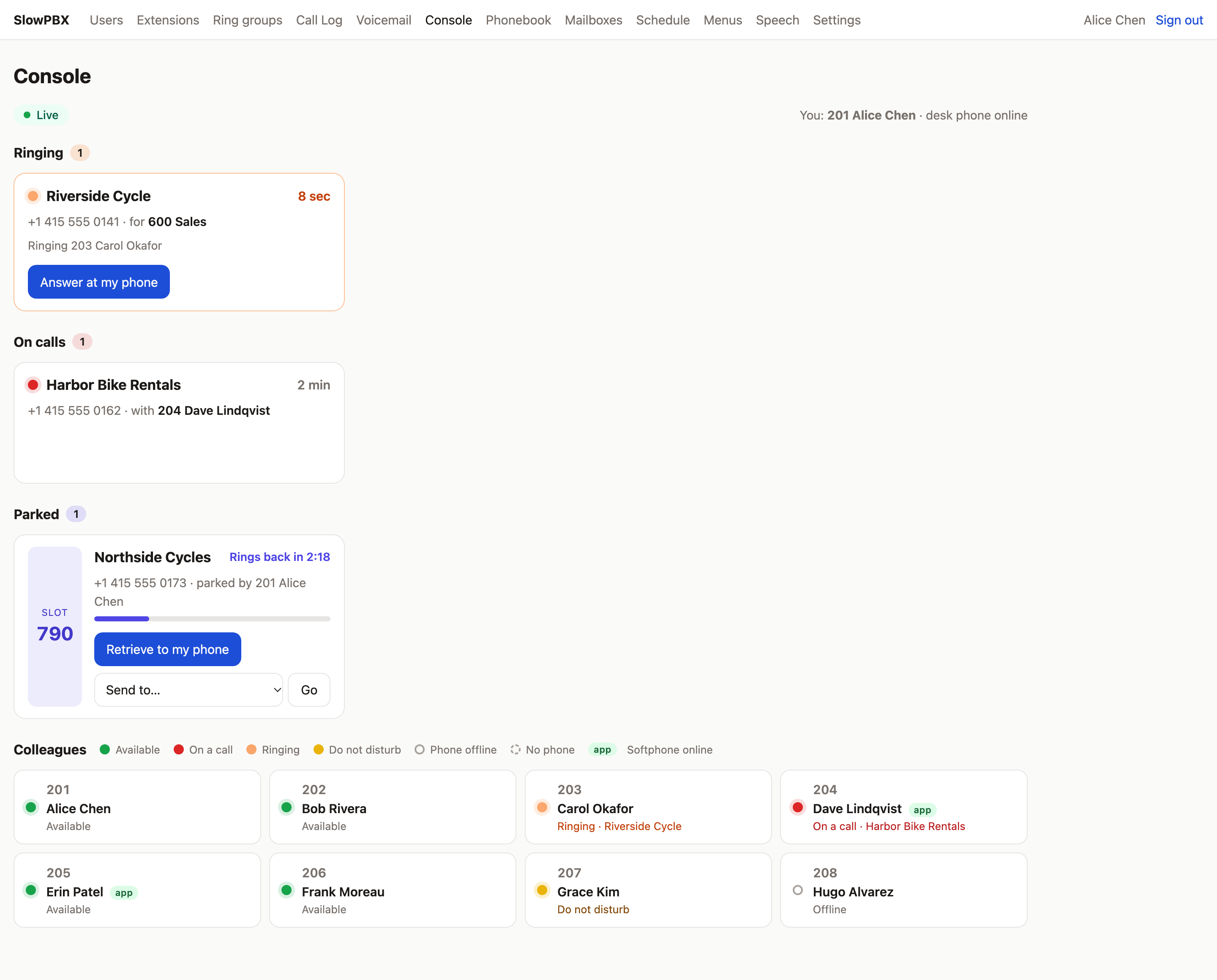
A dealer needs Carol in sales. A delivery needs Frank in the warehouse. See ringing, active, and parked calls alongside the team’s availability. Answer at your desk phone, park a call, or send it to the right person.
A different arrangement
Keep the phone service, the software, and the hardware separate. Choose what works for your company.
Bring your own phone service and pay the provider directly for numbers and usage. SlowPBX currently uses Telnyx for voice and Twilio for notification texts.
Run your own instance of SlowPBX. You decide the extensions, the hours, the menus, and who gets called when something needs attention.
Use compatible, off-the-shelf SIP desk phones, or softphones on Mac and iOS. A new place to answer calls doesn’t need another software subscription.
Built around your working day
Office hours
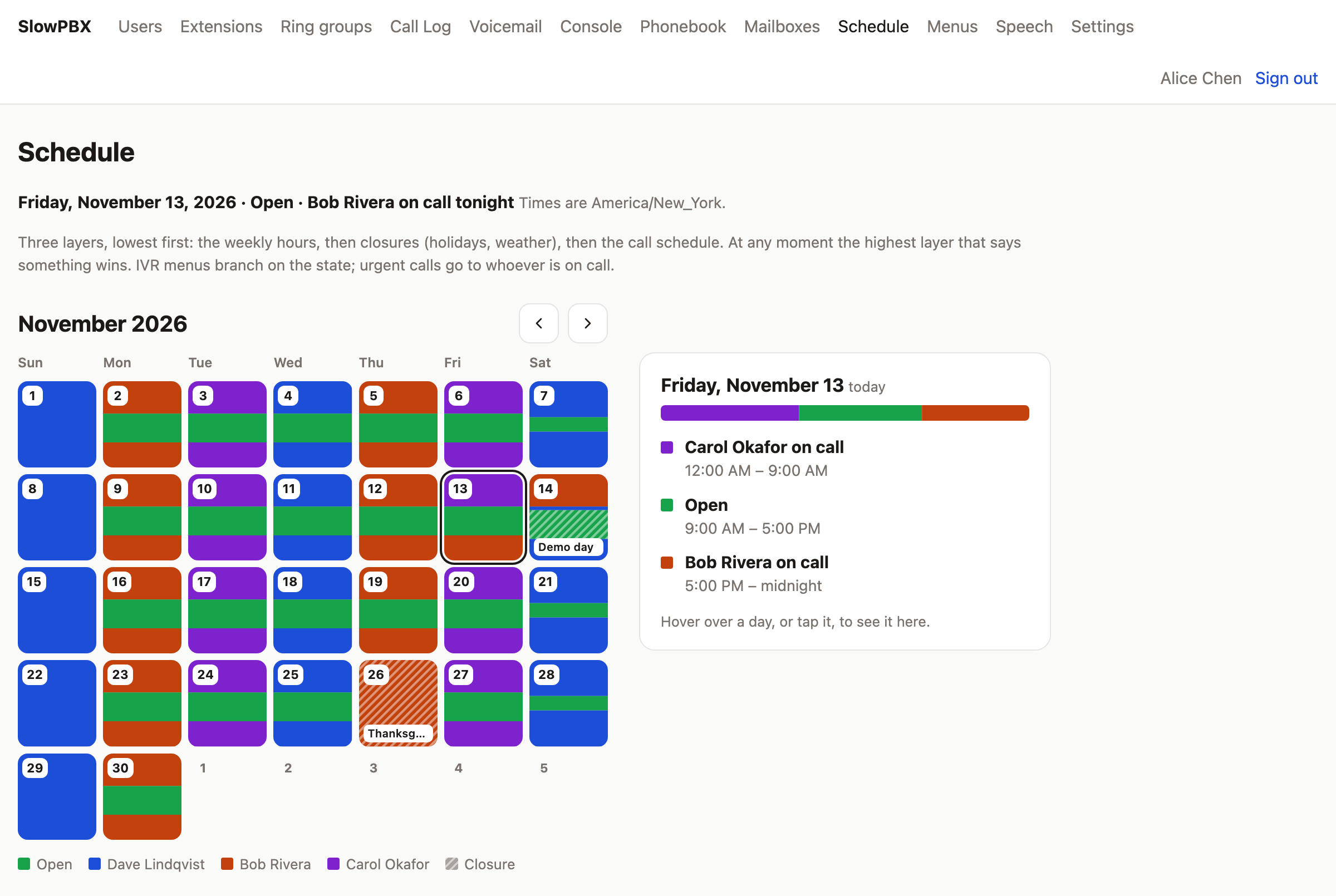
Set the normal week once. Add lunch breaks, holidays, a staff meeting, or a snow day. Your phone menus follow the schedule.
Acme’s workshop closes at five. Saturday’s demo day is a one-off exception. Alice changes the schedule; nobody has to remember to flip the phones.
Regular hours + exceptions. One schedule.
On-call rotations
Build a weekly rotation and make one-off swaps without rewriting it. An on-call voicemail notifies the person covering that shift.
Dave, Bob, and Carol take turns covering dealer support after hours. If a message goes unchecked, reminders and escalation help it reach someone who can respond. Bob can cover Friday without changing every Friday.
Custom phone menus
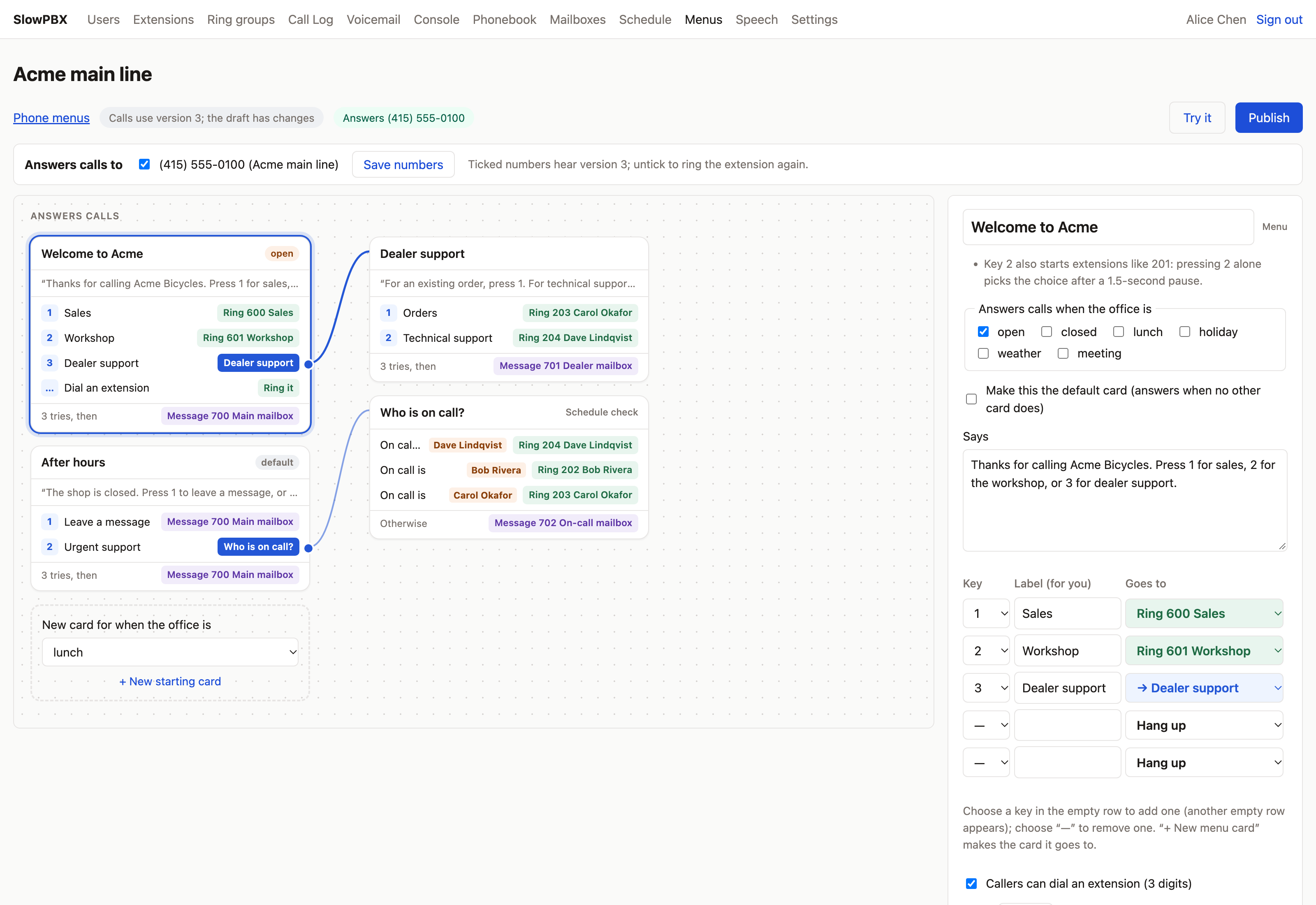
Build an IVR tree that fits the business: a greeting, a choice, a check of the opening hours, then the right extension, ring group, or mailbox.
“Press 1 for sales, 2 for the workshop.” Simple when you need simple. Add branches when you need more. Edit a draft, try it in the browser, and publish when it’s right.
Your team
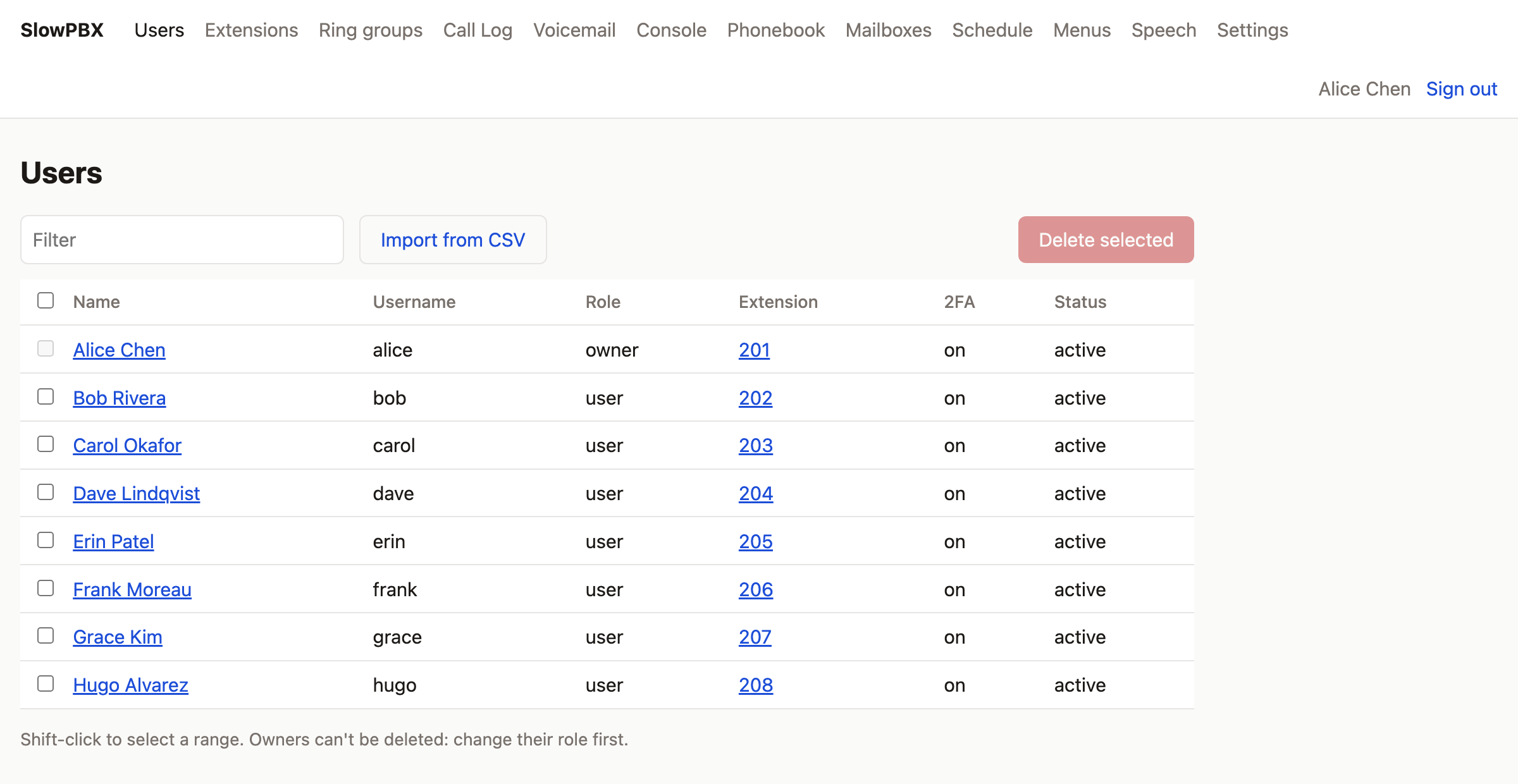
Alice manages the team from one user list: names, roles, extensions, sign-in security, and account status. Bring a whole team in from CSV, or add a new colleague as the business grows.
At the desk. Away from it.
A standard SIP desk phone at the counter. A Mac softphone in the office. An iOS softphone on your iPhone. Use the hardware that suits the job, with your business extensions.
For macOS 14 or later. The app links to your own SlowPBX server; it makes no calls without one.
Do the arithmetic
Per-user subscriptions add up quietly. Replace them with a system you run and a provider bill based on what you use, and the savings can be hundreds of dollars a month.
Here’s an illustrative 15-person business. Use your own numbers to compare.
An example, not a quote or a guarantee. Call usage is minutes × rate. The $0.006 default uses the call-mix assumptions below, not a provider quote. The estimate includes the call-leg assumptions in that note. Phone numbers, messaging, other provider fees, hardware, setup, administration, and taxes are additional. No competitor’s current pricing is implied.
A few straight answers
There’s no SlowPBX software license fee and no per-user or per-extension charge. You pay for your server, compatible phones, and your provider’s numbers, calls, and other usage. Allow for setup, ongoing administration, and any optional services too.
The provider account belongs to you, but the integration matters. Telnyx is the current voice provider. Twilio is used for notification texts. A generic SIP trunk or a Twilio voice account is not a drop-in replacement for the current Telnyx integration.
No proprietary handset subscription. Use compatible commodity SIP desk phones; the Yealink T54W has been used with SlowPBX. Check registration, provisioning, and the features you need on your chosen model before buying a fleet.
You or your IT provider. SlowPBX is a self-hosted cloud phone system: your business has its own installation. Hosting, backups, updates, provider configuration, and keeping the service running are part of operating it.
Number porting is handled by your provider, and eligibility depends on the number and service. Confirm the port with your provider and test your new setup before scheduling a cutover.
No. Acme is the fictional bicycle company used across Slowbase, Gianki, and Trbillo. The console, on-call calendar, IVR editor, and user-list screenshots are rendered from the actual SlowPBX interface with fictional data. The office-hours diagram is an illustrative example.
A phone system that belongs to the business
Your provider. Your phones. Your rules.
See how to run SlowPBXWith 75% external calls and 25% internal calls, I’d budget approximately $0.0056 per minute (0.56¢) in Telnyx usage charges, assuming external traffic is split evenly between inbound and outbound.
| Call type | Share | Rate/min | Weighted cost |
|---|---|---|---|
| External inbound | 37.5% | $0.0052 | $0.00195 |
| External outbound | 37.5% | $0.0070 | $0.002625 |
| Internal extension-to-extension | 25% | $0.0040* | $0.00100 |
| Blended average | 100% | — | $0.005575 |
*Internal rate assumes two billable Voice API call legs at $0.002/minute each, with no PSTN charges. Actual billing depends on your call routing.
The calculator rounds this budget up to $0.006 per minute (0.6¢). Back to the calculator ↑